How to Look and Sound Better on Video Calls
 Lena Anderson
I still remember my first major corporate finance presentation via Zoom back in the early days of remote work. I was sitting in my cramped apartment, frantically trying to hide a pile of laundry behind me while praying the overhead light didn't make me look like a character from a horror movie. I felt so disconnected, like I was performing behind a veil of glitchy pixels and bad lighting. It wasn't just about the tech; it was the overwhelming pressure to appear "perfectly professional" while actually just trying to survive the workday. We’ve all been there, staring at our own tiny, unflattering square and wondering how to look better on video calls without spending a fortune on studio equipment or a complete lifestyle overhaul.
Look, I’m not here to sell you a $500 ring light or tell you that you need a professional film crew in your guest bedroom. My goal is to help you find that sweet spot where you look polished and confident without losing your sanity or your budget. I’m going to share the practical, no-nonsense tweaks I've learned from years of coaching—from lighting hacks to the subtle art of framing—so you can show up as your best self and get back to living your life.
Table of Contents
Mastering Your Professional Video Call Lighting Setup
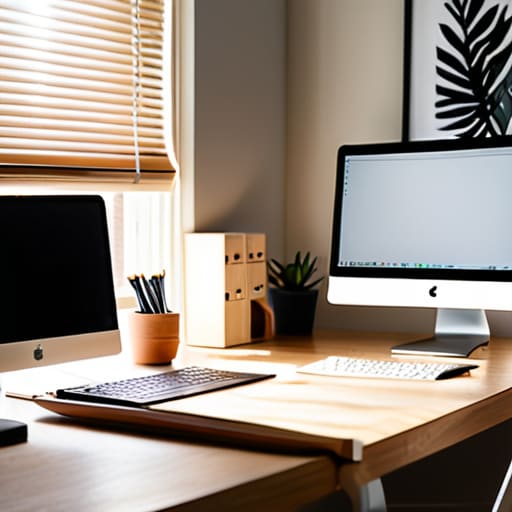
First things first: let’s talk about light. You don’t need a Hollywood studio or an expensive ring light to look polished, but you do need to ditch that harsh overhead light that makes everyone look like they’re in a witness protection program. Instead, try to face a window during the day. Natural light is your best friend for a professional video call lighting setup because it softens your features and makes you look instantly more awake. If you’re working late into the evening, grab a small desk lamp and place it behind your monitor. The goal is to illuminate your face evenly, which is one of my favorite remote work presentation tips for anyone feeling a bit washed out on screen.
While you're at it, keep an eye on any shiny surfaces behind you. Reducing video call glare from a window or a glass picture frame can prevent those annoying reflections that distract your clients. It’s all about creating a clean, intentional space that lets your personality shine through without the visual noise.
Finding Your Perfect Camera Angle for Video Meetings
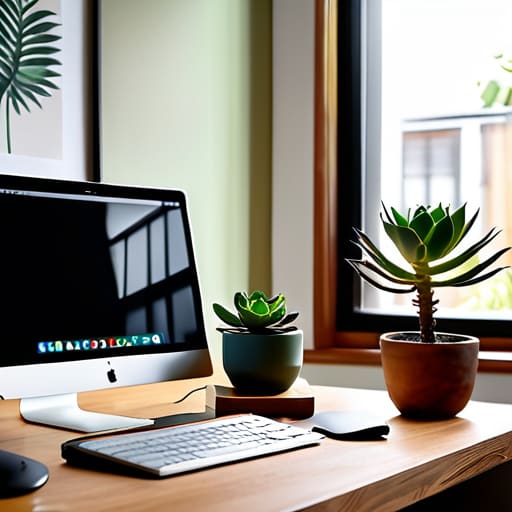
Now that we’ve tackled the lighting, let’s talk about something that can make or break your confidence: your line of sight. We’ve all been there—stuck in a meeting where we’re staring up at a colleague’s nostrils or looking way down at a tiny laptop screen. It feels awkward, right? To fix this, you want to find the ideal camera angle for video meetings by bringing your lens up to eye level. If you’re working from a laptop, grab a couple of sturdy coffee table books or a dedicated laptop stand. You want to feel like you’re making direct eye contact with your team, not looking like you’re filming a dramatic monologue from the floor.
Once you’ve got the height right, pay attention to your posture. It’s easy to slouch into a "work-from-couch" slump, but sitting up straight naturally improves your presence. Think of it as a micro-adjustment for your remote work presentation tips; when you align your camera with your gaze, you appear more engaged and authoritative. It’s a small tweak, but it makes a massive difference in how you project energy and professionalism through the screen.
Beyond the Tech: Five Ways to Bring Your Best Energy to the Screen
- Curate your backdrop to reflect your vibe without being a distraction. You don't need a Pinterest-perfect home office, but swapping that pile of laundry for a simple bookshelf or a clean wall tells your clients you're organized and ready to focus.
- Dress for the mood you want to set. Even if you're working from your living room, throwing on a structured blazer or a pop of color can instantly shift your mindset from "pajama mode" to "powerhouse mode."
- Keep your eyes on the lens, not your own face. I know it’s tempting to check your hair in the little preview window, but looking directly into that tiny camera lens is what creates that genuine, human connection during a conversation.
- Master the art of the digital "nod." Since we lose so much of that subtle body language in video calls, being a little more intentional with your facial expressions and active listening cues helps prevent that awkward feeling of talking to a wall.
- Audit your audio quality before you hit 'join.' There’s nothing that kills a professional moment faster than a hollow, echoing voice or a background hum; a quick headset check ensures your brilliant ideas actually land clearly.
Quick Wins for Your Next Big Meeting
Remember that your tech setup is just a tool to help your personality shine—don't sweat the small stuff, just aim for clarity and confidence.
Small adjustments, like shifting your laptop or opening a curtain, make a massive difference in how present and energized you appear to your team.
Prioritize your comfort; when you look good and feel prepared, you can stop worrying about your reflection and actually focus on the conversation at hand.
The Vibe Check Beyond the Pixels
"At the end of the day, looking good on camera isn't about having a studio-grade setup; it's about creating a space where you actually feel like your most confident, energized self, because when you feel present, your impact follows suit."
Lena Anderson
Bringing It All Together

At the end of the day, looking your best on screen isn't about achieving some impossible standard of perfection; it’s about removing the distractions that get in the way of your message. We’ve covered a lot of ground today, from chasing that sweet natural light to making sure your camera isn't staring up your nose at an unflattering angle. By making these small, intentional tweaks to your lighting and positioning, you aren't just fixing a technical glitch—you are curating a professional environment that allows your expertise to truly shine through. When you look prepared, you feel prepared, and that confidence is what people will actually remember long after you hit the "Leave Meeting" button.
As we wrap this up, I want to remind you that while these visual tips are great for your career toolkit, they are just one piece of the puzzle. Don't let a bad camera angle or a dim room shake your self-worth; you are much more than your digital pixels. Use these tools to show up as your most confident self, but remember to keep that inner peace intact, too. Whether you’re pitching a new client or catching up with your team, aim for a presence that feels authentic and energized. You’ve got the skills and the talent—now go out there and own your digital space with grace and a little bit of sparkle!
Frequently Asked Questions
What should I do if my background is super messy but I don't have a dedicated office space?
Ugh, I have been there! When you're working from a studio apartment or a shared space, a messy background is basically a rite of passage. Don't panic—you don't need a home makeover. First, try the "blur" feature; it’s a total lifesaver for hiding that pile of laundry. If that feels too fake, grab a simple, solid-colored sheet or find a clean corner with just one plant. Keep it simple and keep your focus on the conversation!
Are there any quick skincare or grooming hacks to help me look less "exhausted" on camera during those early morning meetings?
Look, we’ve all been there—staring at a 7 AM Zoom invite while feeling like a total zombie. If you’re running on caffeine and dreams, try a quick splash of cold water to wake up your skin, or grab a hydrating face mist to get that glow back. A little tinted moisturizer or even just some eye drops can work wonders to hide that "I stayed up too late" look. You'll feel more present and ready to crush it!
How much does my choice of clothing color actually matter when I'm trying to avoid looking washed out on screen?
It matters way more than you’d think! Think of your webcam like a filter—it can easily drain the life right out of your complexion. If you wear a pale beige or a washed-out gray, you might end up looking a little ghostly. I love sticking to jewel tones like emerald or deep navy; they add a pop of life to your face! Just remember: if it makes you look tired in the mirror, it’ll definitely do the same on Zoom.


