Diy Cable Management to Tame the Cord Chaos
 Lena Anderson
I was sitting on my yoga mat last Tuesday, trying to find my center during a midday meditation, when my eyes drifted toward the corner of my desk. Instead of feeling peace, I felt a sudden, sharp spike of anxiety. There it was: a tangled, dusty "nest" of black wires snaking across the floor like a chaotic urban jungle. I realized then that my workspace was physically manifesting all the mental clutter I’d been trying to breathe away. We often think that a messy desk is just a sign of a busy life, but let me tell you, a chaotic tangle of cords is a silent productivity killer. Tackling some cable management diy isn't just about making your office look pretty for a Zoom call; it’s about reclaiming your headspace so you can actually focus on the work that matters.
In this guide, I’m stripping away the expensive, over-complicated gadgets and getting down to the real, budget-friendly stuff. I’ll show you exactly how to organize your tech setup using simple tools you probably already have in your junk drawer. We’re going to walk through practical, no-nonsense steps to transform that electronic spaghetti into a streamlined sanctuary that supports your flow rather than draining your energy.
Table of Contents
- Step-by-Step Instructions
- Curating Calm With Under Desk Cable Management Solutions
- Creative Diy Cable Organizer Ideas for a Balanced Life
- My Top 5 Pro-Tips for a Cord-Free Zen Zone
- Small Changes, Big Energy: My Final Thoughts
- ## The Connection Between Your Space and Your Spirit
- Finding Your Flow Beyond the Wires
- Frequently Asked Questions
Guide Overview
Tools & Supplies
- Scissors or wire cutters for trimming ties
- Label maker or masking tape for identification
- Velcro cable ties (1 pack)
- Cable management sleeves or raceways (2-3 units)
- Adhesive cable clips (1 pack)
- Power strip/Surge protector (1 unit)
Step-by-Step Instructions
- 1. First things first, we need to perform a little "financial audit" of your desk, but for your tech. Grab everything—every single cord, charger, and power strip—and pull them out from behind the desk. It’s going to look like a total mess at first, but trust me, you can't organize chaos if you don't see the full scope of it.
- 2. Once you have your pile of wires, go on a sorting mission. Group them by their "job description": all your computer peripherals in one pile, your charging cables in another, and your power strips in a third. I find that labeling them with a bit of masking tape helps me stay sane, so you don't end up accidentally unplugging your router when you just wanted to charge your phone. It’s all about minimizing decision fatigue later on.
- 3. Now, let's talk about the foundation: the power strip. Instead of letting it sit on the floor like a tangled nest of snakes, I love using heavy-duty mounting tape or even a small under-desk basket to secure it to the underside of your desk. Getting that bulky brick off the floor is a total game-changer for both your floor cleaning routine and your mental clarity.
- 4. Next, it's time to implement some "structural boundaries." I highly recommend picking up some Velcro cable ties—please, for the love of all things zen, avoid the plastic zip ties if you can. Zip ties are permanent and aggressive, whereas Velcro is flexible and forgiving, allowing you to adjust your setup as your tech evolves without having to cut anything.
- 5. As you start routing the cables, use some adhesive cable clips to guide them along the legs of your desk or the underside of the tabletop. Think of this as creating a clear career path for your wires; you want them to follow a predictable, neat route rather than wandering aimlessly across your workspace.
- 6. For those pesky, long cables that seem to have a mind of their own, use a few cable management sleeves or even some decorative boxes to hide the excess length. If you have a lot of leftover cord, coil it neatly and secure it with a tie. It’s like budgeting your extra cash—you're tucking it away neatly so it doesn't create unnecessary clutter in your daily life.
- 7. Finally, do a "stress test" of your new system. Plug everything back in, turn on your monitors, and make sure you can still reach your chargers without a struggle. Take a deep breath, look at that clean, streamlined surface, and really soak in the calm you've just created. You've officially reclaimed your space!
Curating Calm With Under Desk Cable Management Solutions

If you’re like me, you’ve probably noticed that a tangled nest of wires beneath your feet can trigger a subtle sense of anxiety before you’ve even finished your morning matcha. It’s hard to find your center when your physical environment feels chaotic. When I’m looking for under desk cable management solutions, I don't just look for plastic bins; I look for ways to create visual silence. One of my favorite low-cost hacks is using velcro ties for cables instead of those annoying plastic zip ties. Velcro is much more forgiving, allowing you to adjust your setup as you add new tech without feeling like you're performing surgery on your workstation.
Beyond just bundling, think about the flow of your energy. I love experimenting with different diy cable organizer ideas, like mounting a simple wire basket to the underside of my desk to house power strips. This keeps everything off the floor, making it much easier to vacuum and, more importantly, clearing that mental clutter that comes from seeing a "spaghetti mess" every time you sit down. Remember, we aren't just organizing wires; we are curating a sanctuary for your best work.
Creative Diy Cable Organizer Ideas for a Balanced Life
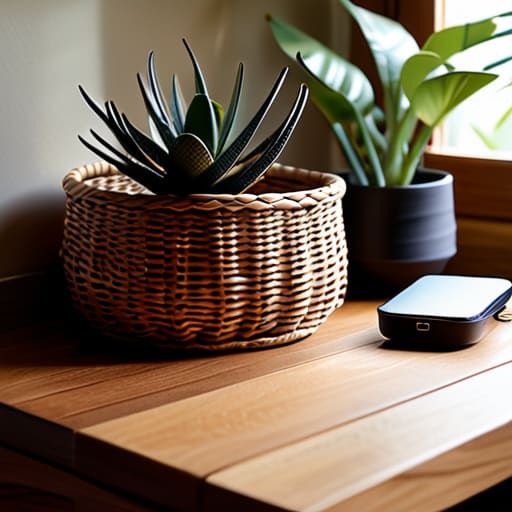
Now, let’s get a little more playful with it. If you’re feeling uninspired by standard plastic clips, think about how you can infuse your personal style into your workspace. I’m a huge believer that your environment should reflect your soul, not just your job description. One of my favorite diy cable organizer ideas involves using decorative woven baskets or even vintage wooden boxes to house your power strips. It’s a simple way of hiding computer wires at home while adding a touch of warmth and texture that a cold, plastic box just can't provide.
If you prefer a more streamlined, minimalist vibe, I highly recommend using velcro ties for cables in different colors. You can color-code them to match your aesthetic—maybe some calming sage green or soft lavender to keep your stress levels low during those back-to-back Zoom calls. By grouping your cords into neat, color-coordinated bundles, you’re not just practicing cord management for home office setups; you’re actively creating a visual sanctuary that helps you stay centered and focused throughout the day.
My Top 5 Pro-Tips for a Cord-Free Zen Zone
- Label everything before you start—I’m talking masking tape or even those little colorful stickers—so you aren't playing "guess the plug" every time you need to reboot your router.
- Invest in some heavy-duty Velcro strips instead of those annoying plastic zip ties; they’re a total lifesaver when you need to swap out a gadget without a pair of scissors and a prayer.
- Don't forget the power of a good old-fashioned cable box; tucking that messy power strip inside a sleek wooden or fabric box is like an instant facelift for your entire office.
- Group your cables by function using braided sleeves; it keeps the "spaghetti mess" contained and makes your workspace look intentional rather than chaotic.
- Practice the "one-in, one-out" rule for your tech; before you add a new charger or gadget to your setup, make sure you actually have a dedicated, organized spot for it to live.
Small Changes, Big Energy: My Final Thoughts
Remember that a tidy desk isn't just about looking "Pinterest-perfect"; it’s a foundational tool for reducing sensory overload and reclaiming your mental bandwidth during a hectic workday.
Don't feel like you need to buy a whole new expensive setup—getting creative with DIY solutions like clips, baskets, or even repurposed household items is much more rewarding (and budget-friendly!) for your soul and your wallet.
Treat your workspace organization as an act of self-care, because when you clear the physical clutter, you’re making intentional space for the focus and peace you need to truly thrive.
## The Connection Between Your Space and Your Spirit
"Think of organizing your cables as more than just a weekend project; it’s a way of untangling the visual noise that drains your energy. When you clear the clutter from your desk, you’re actually making room for the focus and mental clarity you need to truly thrive."
Lena Anderson
Finding Your Flow Beyond the Wires

At the end of the day, tackling your cable management DIY projects is about so much more than just hiding a mess of black cords under your desk. We’ve walked through everything from utilizing under-desk trays to getting a little crafty with DIY organizers that actually fit your personal aesthetic. By taking these small, intentional steps to organize your tech, you aren't just cleaning up a workspace; you are actively minimizing visual noise and reclaiming your physical environment. Whether you chose a sleek, professional look or a more creative, personalized approach, you have successfully turned a chaotic tangle into a streamlined sanctuary that supports your focus rather than draining it.
As you step back and look at your refreshed space, I want you to remember that your environment is a direct reflection of your internal state. Just like a good yoga flow, life requires a bit of alignment to feel truly balanced. Don't let the pursuit of a "perfect" office become another source of stress on your to-do list; instead, view these small organizational wins as acts of self-care. You deserve a space that breathes, allowing you to pursue your biggest career ambitions without the constant, subtle distraction of clutter. Now, take a deep breath, enjoy that newfound clarity, and go conquer your day with a clear mind and a beautiful, organized view!
Frequently Asked Questions
I love the creative DIY ideas, but how do I make sure I'm not creating a fire hazard by bunching too many power strips together?
That is such a smart question! Honestly, it’s easy to get carried away with the "aesthetic" side of things and forget the safety side. To avoid a "spaghetti monster" of wires that could overheat, try to avoid daisy-chaining power strips—that’s a big no-no. Instead, invest in one high-quality, heavy-duty surge protector. Spread your devices out so each plug has breathing room, and keep those bundles airy rather than tightly packed. Safety first, zen second!
Are there any specific budget-friendly materials you recommend for someone who wants a professional look without spending a fortune at a hardware store?
Honestly, you don't need a massive budget to get that sleek, high-end look. I’m a huge fan of using simple Velcro strips or even heavy-duty binder clips—they’re cheap, effective, and much easier on the eyes than messy plastic ties. For a truly professional vibe, grab some adhesive cable clips or even decorative masking tape to route cords along desk legs. It’s all about those small, intentional tweaks that keep your space feeling intentional and calm!
Once I've finally organized everything, how often should I actually go back and "reset" my setup to keep the mental clutter from creeping back in?
Think of your workspace like a yoga practice—consistency is everything! I recommend a "micro-reset" every Friday afternoon. Spend just ten minutes tidying up so you don't carry that weekend stress into your Monday. If you’re a tech enthusiast with a lot of gear, aim for a deeper "macro-reset" once a month. It keeps the chaos at bay and ensures your physical space stays as aligned as your mindset!


