How to Set Up a Smart Home on a Budget
 Lena Anderson
I was sitting on my living room floor last Tuesday, surrounded by three different instruction manuals and a tangled web of charging cables, feeling absolutely defeated by my own "convenience." I had this vision of a seamless, zen-like sanctuary, but instead, I was staring at a blinking red light on a smart hub that refused to connect to my Wi-Fi. It hit me right then: most people think learning how to set up a smart home requires a degree in computer science or a massive corporate budget, but that is a total myth. In reality, if you can navigate a banking app, you can automate your life; you just need a strategy that actually works for your unique rhythm.
I’m not here to sell you on every shiny new gadget on the market or push you into a tech-induced headache. Instead, I’m going to walk you through a practical, budget-friendly roadmap to building a space that actually supports your well-being. We’ll cover everything from choosing the right ecosystem to ensuring your devices play nice together, all while keeping your financial goals in mind. Let’s turn your living space into a high-functioning sanctuary that gives you back your most precious resource: your time.
Table of Contents
- Step-by-Step Instructions
- Your Smart Home Beginner Checklist for a Balanced Life
- Finding Harmony Through Smart Home Ecosystem Compatibility
- Pro-Tips for a High-Tech Home That Actually Feels Like Home
- Bringing It All Together: Your Path to a Smarter, Calmer Life
- Investing in Your Peace of Mind
- Creating Your Personal Sanctuary
- Frequently Asked Questions
Guide Overview
Tools & Supplies
- Smartphone with a dedicated smart home app
- Wi-Fi Router with strong coverage
- Smart Hub or Voice Assistant (1 unit)
- Smart Bulbs (3-5 units)
- Smart Plugs (2-3 units)
- Smart Sensors (2-3 units)
Step-by-Step Instructions
- 1. First things first, we need to talk about your digital foundation: the Wi-Fi. Before you go out and buy every gadget that looks shiny, take a peek at your router. If you're trying to run a smart home on a router from 2012, you’re going to have more tech-induced headaches than a Monday morning without coffee. I always recommend investing in a mesh Wi-Fi system; it ensures your smart lights in the bedroom and your smart lock at the front door stay connected without dropping the ball.
- 2. Next, let's pick your "command center," which is essentially the brain of your operation. You don't want to be jumping between fifteen different apps just to dim the lights, or you'll never find that Zen state we're aiming for. Decide whether you’re Team Alexa, Team Google Home, or Team Apple HomeKit. Once you choose your ecosystem, stick to it as much as possible to keep your life seamless and simple.
- 3. Now, let’s start small with "low-hanging fruit" wins—I'm talking about smart lighting and plugs. This is where you really start to feel the magic. Replacing a few standard bulbs with smart ones allows you to set schedules, so your lights slowly brighten in the morning to mimic a sunrise. It’s a total game-changer for your circadian rhythm, and honestly, it feels a little bit like living in the future.
- 4. Once you’ve got the vibes right, let's move on to smart security. As someone who values peace of mind, I can't recommend this enough. Start with a video doorbell or a couple of smart plugs that you can control remotely. Knowing you can check in on your home from your phone while you're at a yoga class or a late-night networking event provides a level of mental clarity that is worth every penny.
- 5. Now comes the part where we automate the "boring stuff" to reclaim your time. This is where you create "routines" or "scenes" within your chosen app. For example, you can create a "Wind Down" routine where, with one voice command, the lights dim, the thermostat drops to a cozy temperature, and your favorite calming playlist starts playing. This isn't just about being high-tech; it's about designing an environment that supports your well-being.
- 6. Finally, as you grow your smart home, remember the golden rule of financial wellness: don't buy everything at once. It is so easy to get caught up in the dopamine hit of a new gadget, but treat your smart home setup like a long-term investment portfolio. Add one category at a time—maybe smart thermostats next, then smart blinds—to ensure you're building a system that actually adds value to your life rather than just adding clutter to your budget.
Your Smart Home Beginner Checklist for a Balanced Life

Before you go out and buy every gadget that catches your eye on a late-night Amazon scroll, let’s take a breath. I’ve seen so many clients get overwhelmed by "tech fatigue," and honestly, the last thing we want is for your home to feel like a source of stress rather than a sanctuary. My personal smart home beginner checklist always starts with one question: Does this actually serve my peace of mind? Instead of chasing every shiny new toy, focus on small wins that reclaim your time, like a coffee maker that starts when your alarm goes off or lights that dim automatically when it’s time to wind down.
The secret sauce to avoiding a digital headache is prioritizing smart home ecosystem compatibility. You don't want to end up with five different apps just to turn off your kitchen lights! Before you commit, check if your devices play nice together through integrating voice assistants like Alexa or Google Home. Think of it like building a professional network; everything works better when the connections are seamless and reliable. Keep it simple, keep it intentional, and let your tech do the heavy lifting for you.
Finding Harmony Through Smart Home Ecosystem Compatibility
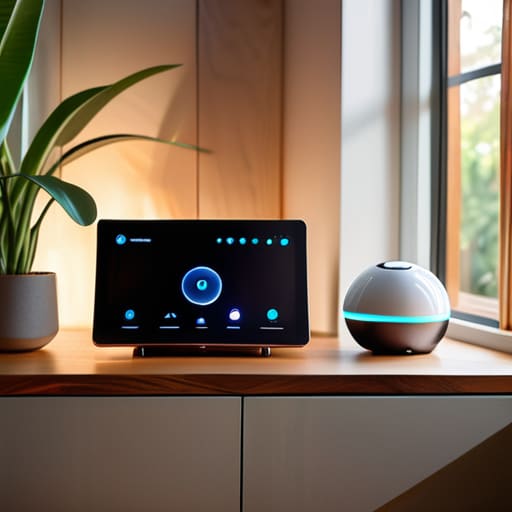
Now, here is where most people hit a wall, and honestly, it’s where I used to get so frustrated back when I was first diving into the tech side of things. You might find a gorgeous smart bulb or a sleek security camera, only to realize it won't talk to the rest of your devices. This is why understanding smart home ecosystem compatibility is absolutely vital. Think of it like building a professional network; if your contacts don't speak the same language, nothing gets done! You want to ensure that whether you are integrating voice assistants like Alexa or Google Home, or trying to sync your thermostat, everything plays nicely together in one seamless symphony.
To avoid a digital headache, I always recommend picking a "central brain" early on. Researching the best smart home hubs 2024 can save you from the "app fatigue" of having twenty different icons on your phone just to turn off the lights. When your ecosystem is unified, you aren't just managing gadgets; you are creating a cohesive environment that actually supports your wellness. Instead of fighting with your tech, your home should feel like a supportive partner that anticipates your needs and helps you stay centered.
Pro-Tips for a High-Tech Home That Actually Feels Like Home
- Start with your "why" before your "what." Don't just buy gadgets because they're shiny; ask yourself if a smart lightbulb actually reduces your stress or if it's just another thing to manage. I always tell my clients: if it doesn't add value to your daily routine, it's just digital clutter.
- Prioritize your Wi-Fi strength like it's your most important business meeting. You can have the most expensive smart locks and thermostats in the world, but if your router is struggling in the corner of the living room, your whole ecosystem is going to feel glitchy and frustrating.
- Think about your future self when you're budgeting. It’s easy to get caught up in the "retail therapy" of tech, but I recommend a phased approach. Invest in one solid ecosystem first, then grow from there, so you aren't hemorrhaging cash on devices that don't talk to each other.
- Don't forget the "human" element of automation. Set up routines that actually support your wellness, like a "Wind Down" scene that dims the lights and plays calming music at 9 PM. Use tech to signal to your brain that the workday is officially over.
- Security isn't just about locks; it's about digital hygiene. Every time you add a new device, make sure you're updating passwords and checking privacy settings. Think of it like protecting your bank account—your smart home deserves that same level of financial-grade vigilance!
Bringing It All Together: Your Path to a Smarter, Calmer Life
Remember, a smart home is a tool for your well-being, not another project to manage; start small and only add what actually serves your peace of mind.
Prioritize compatibility from day one to avoid "tech fatigue"—you want your devices to talk to each other so you don't have to spend your evening troubleshooting.
Use automation to reclaim your time, whether that's a morning routine that eases you into the day or a lighting setup that helps you wind down for meditation.
Investing in Your Peace of Mind
"Think of a smart home not as a collection of expensive gadgets, but as a digital assistant for your well-being; when you automate the mundane, you're actually buying back the mental space needed to focus on what truly nourishes your soul."
Lena Anderson
Creating Your Personal Sanctuary
Setting up a smart home might have felt a bit daunting when we first started, but look at how far you've come! We’ve moved from picking the right devices and checking for ecosystem compatibility to building a personalized checklist that actually serves your daily rhythm. Remember, the goal wasn't just to own the latest gadgets, but to ensure that every piece of technology works together to streamline your routine and reduce that mental clutter we all struggle with. By focusing on automation that handles the small, repetitive tasks, you’ve effectively laid the groundwork for a home that supports your productivity and your peace of mind.
As you move forward, I want you to remember that your home should be a soft landing at the end of a long workday, not another source of digital stress. Technology is a tool, not a master; use it to reclaim your time so you can invest it back into the things that truly matter—like a long yoga flow, a quiet morning coffee, or simply being present with your loved ones. You are the architect of your own environment, and by choosing tools that promote intentional living, you are making a profound investment in your long-term well-being. Go ahead, breathe deep, and enjoy the beautiful, balanced space you’ve created.
Frequently Asked Questions
Is it actually going to save me money on my monthly utility bills, or is this just another expensive hobby?
I hear you—my finance brain is itching to crunch these numbers! The honest truth? It’s not an instant windfall, but it’s definitely not just a shiny toy. If you use smart thermostats and lighting to automate your savings, you’ll see those utility bills dip. Think of it as an investment in your future self. It’s about trading a little upfront cost for long-term efficiency and, more importantly, the peace of mind that comes with smarter spending.
How do I make sure my smart devices aren't compromising my family's privacy and data security?
Look, I get it—the idea of "always-on" microphones can feel a little invasive when you're just trying to find some zen in your living room. To keep your sanctuary secure, start by auditing your privacy settings and disabling "voice recording storage" whenever possible. Use two-factor authentication on every single account, and for heaven's sake, change those default passwords! Think of it like securing your financial accounts; a little proactive boundary-setting goes a long way for peace of mind.
If I start with just a few devices, will I regret it later when I want to expand my system?
Oh, I hear that hesitation so often! Honestly? No, you won't regret it—as long as you don't go "all in" on a closed ecosystem. Think of it like building a capsule wardrobe: start with the essentials that actually serve your routine. If you pick devices that play well with others (look for Matter or Thread compatibility!), you can add more "outfits" to your system later without everything clashing. Start small, stay flexible!


