The Best Note-taking Apps for Staying Organized
 Lena Anderson
Do you ever feel like your brain has too many tabs open? I’ve been there—staring at a mountain of scattered sticky notes, half-finished digital memos, and that one crucial idea that seems to have vanished into the ether right when you needed it most. When I was working in corporate finance, I realized that mental clutter is the ultimate enemy of both productivity and inner peace. We often think we just need to work harder, but usually, we just need a better way to capture our brilliance without the chaos. Finding the best note taking apps isn't just about staying organized; it's about clearing your mental space so you can actually focus on what matters, whether that's crushing a presentation or enjoying a quiet yoga session.
In this post, I’m stripping away the tech jargon to share my personal favorites that actually support a balanced lifestyle. I’ve handpicked five tools that do more than just store text; they help you cultivate clarity. From minimalist sanctuaries for your deep thoughts to powerhouse organizers for your wildest professional ambitions, these five picks will help you reclaim your focus. Get ready to find your perfect digital home and finally turn that mental noise into a streamlined roadmap for success.
Table of Contents
- Notion: Your All-in-One Digital Sanctuary
- Evernote: The Classic Brain Dump
- Obsidian: For the Deep Thinkers and Connection Seekers
- Microsoft OneNote: The Digital Binder for Busy Professionals
- Bear: Minimalist Magic for Creative Souls
- Finding Your Flow: My Final Thoughts on Choosing Your Digital Sidekick
- Finding Mental Clarity in a Digital World
- Finding Your Flow
- Frequently Asked Questions
Notion: Your All-in-One Digital Sanctuary
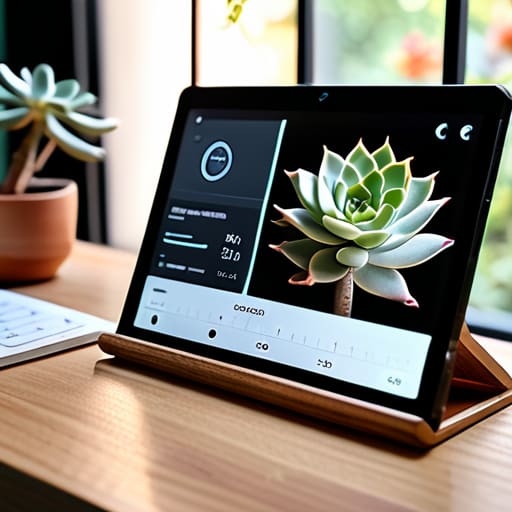
If I had to describe Notion to a client, I’d call it the Swiss Army knife of productivity. It’s not just a place to dump text; it’s a canvas where you can build entire systems that cater to your specific brain. Whether you're tracking your quarterly financial goals or mapping out a holistic wellness routine, Notion allows you to connect your professional tasks with your personal growth in one beautiful, cohesive space.
Evernote: The Classic Brain Dump

There’s a reason Evernote has been a staple in the productivity world for so long, and it’s because it excels at one thing: capturing ideas the moment they strike. We’ve all had those "aha!" moments during a morning yoga session or while waiting for coffee, and Evernote is perfect for snagging those fleeting thoughts before they vanish into the ether. Its search functionality is legendary, making it feel like you have a second brain that never forgets a single detail.
Obsidian: For the Deep Thinkers and Connection Seekers

Now, if you’re someone who loves seeing how different ideas intersect—kind of like how mindfulness connects our breath to our physical presence—you are going to fall in love with Obsidian. It uses a "graph view" that visually maps out how your notes relate to one another. It’s a game-changer for anyone engaged in complex project management or deep research, as it reveals patterns you might have otherwise missed.
Microsoft OneNote: The Digital Binder for Busy Professionals
If you grew up using physical three-ring binders, OneNote is going to feel like a warm, nostalgic hug. It’s structured in a way that feels incredibly intuitive: notebooks, sections, and pages. This makes it a powerhouse for anyone who needs to keep their professional life strictly compartmentalized, such as separating client meeting notes from your personal budget spreadsheets.
Bear: Minimalist Magic for Creative Souls
Sometimes, the very tools meant to help us stay organized end up becoming another source of stress. That’s where Bear comes in. It is the ultimate antidote to "feature bloat." It’s a beautiful, minimalist writing app that focuses on the pure joy of putting pen to paper (or fingers to keys). If you find that complex apps make your heart race a little too fast, Bear is your digital deep breath.
Finding Your Flow: My Final Thoughts on Choosing Your Digital Sidekick
Don't get caught in "app paralysis"—the best tool isn't the one with the most bells and whistles, but the one that actually clears your mental clutter so you can breathe easier.
Treat your digital workspace like your physical one; if it's messy and overwhelming, it's going to drain your energy instead of fueling your productivity.
Remember that no app can replace a mindful approach to work, so use these tools to automate the small stuff and reclaim time for the things that truly nourish your soul.
Finding Mental Clarity in a Digital World
"The right note-taking app shouldn't just be a place to dump your to-do list; it should be a sanctuary for your ideas that clears the mental clutter, giving you the breathing room to actually enjoy your life once you close your laptop."
Lena Anderson
Finding Your Flow
At the end of the day, choosing between these tools isn't about finding the one with the most bells and whistles; it’s about finding the one that actually works with your brain instead of against it. Whether you gravitated toward the minimalist charm of a simple list maker or the heavy-duty organizational power of a digital second brain, the goal remains the same: to get those racing thoughts out of your head and into a safe, structured space. By selecting an app that fits your specific workflow, you aren't just organizing tasks—you are actively reducing your mental load and reclaiming the cognitive energy you need for the things that truly matter.
As you move forward, I want you to remember that no app can do the heavy lifting for you, but the right one can certainly clear the path. Don't let the pursuit of the "perfect" system become another source of stress on your to-do list; instead, view your digital workspace as a tool for cultivating focus and calm. Use these apps to build a foundation of order so that when you finally close your laptop at the end of the day, you can truly be present with your loved ones, enjoy your yoga practice, and live a life that is defined by more than just your productivity. You've got this!
Frequently Asked Questions
How do I choose between a simple app for quick thoughts and a complex one for long-term project management?
Think of it like choosing between a quick yoga flow and a full-day retreat. If you just need to jot down a fleeting idea or a grocery list, go for the simple app—don't overcomplicate your mental space! But if you’re building a career roadmap or managing a massive project, you need that robust, complex system to keep you grounded. Match the tool to your current energy and goal; don't let the tech weigh you down.
Will switching to a new note-taking app actually help my productivity, or is it just another way to procrastinate?
Look, I’ve been there. I once spent three weeks color-coding a Notion workspace instead of actually working on my clients' financial plans! If you're spending more time tweaking fonts than actually capturing ideas, you’re not being productive—you’re just "procrastivity" masking as progress. A new app only works if it removes friction. If it makes your brain feel lighter and your workflow smoother, go for it. If it’s just a shiny new distraction? Put the phone down and breathe.
How can I keep my digital notes organized so they don't become a source of stress rather than a tool for calm?
Honestly, I’ve been there—staring at a digital graveyard of random thoughts and feeling my cortisol levels spike. To keep the stress away, stop treating your notes like a junk drawer. Pick one "home" for everything and create a simple, consistent tagging system. Think of it like organizing your yoga studio: if everything has a designated place, you can move through your tasks with intention rather than chaos. Keep it lean, keep it intentional!